
The Complexity of Multi-Marketplace Amazon Accounting
For e-commerce brands expanding globally, selling across multiple Amazon marketplaces (such as Amazon US, Amazon Canada, Amazon UK, and Amazon Europe) is a powerful way to accelerate growth. However, this expansion introduces a significant operational hurdle: multi-marketplace accounting in QuickBooks Online (QBO).
When you sell across different regions, your financial command center is suddenly flooded with multiple currencies, regional tax rules, distinct fee structures, and disjointed payout schedules.
If you attempt to track all of this by simply booking net deposits into a single bank account or lump-sum sales category, you will quickly encounter severe problems:
- Reconciliation Chaos: A single deposit in US Dollars might represent Canadian sales after Amazon’s internal currency conversion, minus Canadian referral fees, local FBA storage fees, and international shipping adjustments. Reconciling this payout manually is nearly impossible.
- Flawed Performance Analysis: Lumping all marketplaces together obscures regional profitability. You cannot see if your European expansion is actually profitable after factoring in higher shipping and storage costs, or if your Canadian margins are being eroded by currency exchange rates.
- Inaccurate Tax Reporting: Different jurisdictions have unique tax implications. For instance, Amazon acts as a Marketplace Facilitator in most US states, but tax compliance in the UK and EU operates under separate VAT rules.
To build a clean, investor-ready, and audit-proof financial system, you must implement the best way to track Amazon sales by marketplace in QuickBooks Online. This guide outlines the best practices for structuring your accounts to achieve exact marketplace-level visibility, manage multi-currency payouts, and automate the entire process.
1. Separate Amazon Balance Clearing Accounts: The Foundation
The first and most critical rule of multi-marketplace Amazon accounting is to never mix funds in a single clearing account.
To maintain clean books, you must set up a dedicated holding account (also known as a clearing or balance account) for each Amazon marketplace. In QuickBooks Online, these are set up as Bank or Other Current Asset accounts. For example:
Amazon Balance - US(in USD)Amazon Balance - CA(in CAD)Amazon Balance - UK(in GBP)
Instead of posting sales, fees, refunds, and adjustments directly to your business checking account, you route the daily activity through their respective clearing accounts, as illustrated below:
graph TD
    SalesUS[Daily US Sales, Fees, Refunds, <br>Reimbursements & Adjustments] -->|Post USD| BalanceUS[Amazon Balance - US Account]
    SalesCA[Daily CA Sales, Fees, Refunds, <br>Reimbursements & Adjustments] -->|Post CAD| BalanceCA[Amazon Balance - CA Account]
    BalanceUS -->|US Payout Deposit <br> Transfer USD| Check[Checking Account]
    BalanceCA -->|CA Payout Deposit <br> Transfer CAD| Check[Checking Account]
Why Dedicated Clearing Accounts Matter
- Painless Settlement Reconciliation: Every 14 days, Amazon closes a settlement for a specific marketplace and initiates a payout. Because you’ve recorded daily transactions to that marketplace’s dedicated balance account, the payout deposit will match the remaining balance in that specific account, bringing it to zero (or the rolling reserve balance).
- Clean Multi-Currency Management: Running separate accounts prevents currency mixing. You can match CAD transactions to CAD clearing balances, letting QuickBooks Online handle the exchange rate adjustments when funds are transferred or converted to USD.
- Accrual Accounting Integrity: Revenue and expenses are captured in the correct clearing account on the date they actually occurred, rather than waiting for the bi-weekly bank deposit.
2. Segmenting Performance: Classes vs. The Superior Customer-Level P&L Method
To analyze the performance of each marketplace, you need to segment your data. While QuickBooks Online provides Classes and Locations for this, there is a far more elegant, cost-effective, and robust method: Customer and Vendor-level tracking.
The Limitations of Classes and Locations
While classes (e.g., Amazon US, Amazon CA, Amazon UK) allow you to run a Profit & Loss by Class, they come with substantial drawbacks:
- Subscription Barriers: Class and Location tracking are only available in higher-tier QBO plans (Plus and Advanced), which are significantly more expensive.
- Strict Account Limits: QuickBooks Online imposes a strict cap of 40 classes on Plus accounts. If you run multiple channels, brands, or product lines, you will quickly hit this limit.
The Superior Method: Dedicated Customers, Vendors, and Customer/Job Tagging
A much better approach (and the one implemented natively by Entriwise) is to leverage QBO’s standard customer and vendor structures to generate your segment reports.
- Separate Customers for Sales & Refunds: Create a unique Customer in QBO for each marketplace (e.g.,
Amazon.com SalesandAmazon.ca Sales). All daily sales, invoices, refunds, reimbursements, and other adjustments for that marketplace are booked under this customer. - Separate Vendors for Fees: Set up a dedicated Vendor for each marketplace’s fees (e.g.,
Amazon.com FeesandAmazon.ca Fees). Both regular fees and refunded fees are mapped to this vendor. - Customer/Job Tagging for Expenses: When recording check, purchase, or bill lines for Amazon fees, tag each line item with the corresponding marketplace Customer (as a Customer/Job tag).
This gives you a full marketplace P&L—reflecting gross sales, referral fees, FBA fulfillment, and storage costs—without using a single Class or Location. It works on lower-tier QBO plans (Simple Start and Essentials) and preserves your class limits for other business segments.
Tip: Properly mapping these fees is crucial for an accurate P&L. Learn how to handle Amazon FBA fees when reconciling in QuickBooks to ensure each expense category is mapped correctly to your Chart of Accounts.
Class and Location Tracking as an Optional Layer
If you already use a high-tier QBO subscription and don’t mind consuming class limits, you can still use Classes or Locations as an additional layer (for example, using a Location to track FBA vs. FBM warehouses). However, for pure marketplace-level P&L tracking, the Customer/Vendor method remains the foundation.
3. Handling Multi-Currency and Marketplace Tax Mapping
Selling internationally means dealing with different currencies and tax regulations. Setting these up correctly in QBO prevents inflated revenue figures and exchange rate errors.
The Multi-Currency Challenge
Amazon often converts your international earnings before depositing them into your domestic bank account. For example, if you sell in Canada, Amazon might convert your CAD settlement to USD before initiating the transfer to your US bank account.
If you don’t use multi-currency tracking, you will struggle to reconcile because the CAD transactions you recorded won’t align with the USD deposit.
The Best Practice:
- Enable Multi-Currency in QuickBooks Online.
- Set the base currency of your dedicated marketplace clearing accounts to match the local marketplace (e.g., set
Amazon Balance - CAto CAD). - Record daily transactions in the local currency.
- When Amazon converts the funds and deposits USD into your checking account, record it as a multi-currency transfer. QuickBooks Online will calculate the realized currency exchange gain or loss automatically.
Tax Mapping & Marketplace Facilitator Tax
In regions like the US, Amazon operates under Marketplace Facilitator laws, meaning it collects and remits sales tax directly to state authorities on your behalf.
- The Problem: If your integration imports sales tax as regular revenue, your gross sales will be artificially inflated.
- The Solution: The sales tax must be treated as a “wash” transaction. The tax amount is recorded on the invoice, but immediately offset by a corresponding negative line item representing the tax withheld by Amazon. This ensures your top-line revenue matches your actual earnings and you don’t overpay income taxes.
- For UK and European marketplaces, you must map sales to appropriate VAT codes to ensure compliance with local VAT reporting requirements.
4. Inventory Sync, FIFO COGS, and SKU Mapping
Accounting for physical stock is the most complex part of e-commerce bookkeeping. When selling across multiple marketplaces, inventory tracking becomes even more challenging. You might use a unified SKU across all regions, or you might have distinct SKUs for different marketplaces (e.g., WIDGET-BLUE-US and WIDGET-BLUE-CA).
SKU Mapping
To track inventory accurately, your integration engine must map all regional Amazon SKUs to the correct inventory item inside QuickBooks Online.
- If you use unified SKUs, the mapping is direct.
- If you use different SKUs by region, your integration must map multiple Amazon SKUs to a single QuickBooks inventory product.
Automated FIFO COGS
When a daily summary is posted, your accounting system should automatically deduct the sold units from your inventory asset and calculate the Cost of Goods Sold (COGS).
Because QuickBooks Online Plus and Advanced utilize the First-In, First-Out (FIFO) costing method, mapping your daily sales directly to QBO inventory items ensures that your balance sheet reflects actual, real-time inventory value. This prevents year-end inventory write-offs and ensures your product margins are accurate based on what you actually paid for the inventory.
For a detailed comparison of inventory management between platforms, check out our guide on QuickBooks Online vs Desktop Enterprise for Amazon Sellers.
5. How to Automate Multi-Marketplace Tracking with Entriwise
Setting up separate clearing accounts, mapping dozens of Amazon fees to classes, managing currency conversions, and updating inventory levels manually is a full-time job.
Entriwise is designed specifically to automate this entire workflow for professional Amazon sellers using QuickBooks Online, QuickBooks Desktop, and NetSuite.
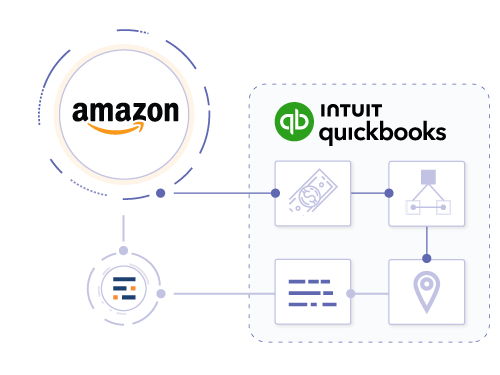
Entriwise automates the flow of multi-marketplace data directly into QuickBooks Online, ensuring accurate accrual accounting and inventory tracking.
Key Entriwise Multi-Marketplace Features:
- Automatic Account & Fee Mapping: Entriwise automatically creates and maps dedicated clearing accounts (Amazon Balance) and expense/income items for sales, fees, refunds, and adjustments for each marketplace during setup.
- Customer-Level Marketplace Tagging: Entriwise maps sales, refunds, reimbursements, and adjustments to dedicated marketplace Customers (e.g.,
Amazon.com Sales,Amazon.ca Sales) and maps fees and refunded fees to distinct Vendors (e.g.,Amazon.com Fees,Amazon.ca Fees), automatically tagging all lines with the corresponding customer so you can run a native Profit & Loss by Customer. - Optional Class & Location Tagging: Entriwise can also tag transactions with specific Classes and Locations if you wish to use them as an extra reporting layer.
- Advanced Multi-Currency Support: Entriwise reads local currency data and handles exchange conversions seamlessly, ensuring your reconciliation ties to the penny.
- SKU Mapping and Bundles: Whether you sell unified SKUs, regional SKUs, or multi-pack bundles, Entriwise handles many-to-one mapping, reducing inventory counts and calculating FIFO COGS automatically.
- Product-Level Profitability: By combining actual QuickBooks FIFO COGS with precise, class-tracked Amazon fees, Entriwise calculates the true net profitability of every SKU across all marketplaces.
Conclusion: Take Control of Your Global Sales Data
Expanding into new Amazon marketplaces is an exciting milestone, but it shouldn’t break your accounting. By setting up separate clearing accounts, leveraging customer-level and vendor-level tracking, and implementing daily accrual summaries, you can monitor your international performance with confidence.
Ready to simplify your global e-commerce accounting? Explore how the Amazon QuickBooks Online Integration can automate your multi-marketplace tracking, reconcile your settlements, and keep your inventory perfectly in sync.
Simplify your multi-marketplace books today. View Entriwise pricing or sign up for a free trial.
Frequently Asked Questions
Can I track multiple Amazon marketplaces in one QuickBooks Online account?
Yes. You can track multiple marketplaces in a single QBO account by setting up dedicated clearing accounts for each region (e.g., Amazon Balance - US, Amazon Balance - CA) and using customer-level and vendor-level mapping to track sales, fees, and adjustments separately for each marketplace.
Should I use Classes or Locations to track Amazon marketplaces?
Customer-level and vendor-level tracking is generally recommended for tracking marketplaces because it is more cost-effective, avoids class limits, and works across all QuickBooks Online subscription tiers. Classes or Locations can be used as an optional secondary layer (for instance, using Locations to track separate FBA vs. FBM inventory warehouses).
How does currency conversion work when Amazon deposits international sales?
When Amazon converts CAD or EUR sales and deposits USD into your bank account, it represents a multi-currency transfer. By using a multi-currency clearing account in QuickBooks Online, you can record daily sales in their native currency, and then record the payout as a transfer from the clearing account to your USD checking account. QuickBooks will calculate the realized currency exchange gain or loss automatically.
How does Entriwise help with SKU mapping across different marketplaces?
Entriwise features a robust SKU mapping system that allows you to link different regional Amazon SKUs (e.g., WIDGET-US and WIDGET-CA) to a single inventory item in QuickBooks Online. This ensures that no matter where the item is sold, the correct inventory asset is deducted, and the FIFO COGS is calculated accurately.
What is the benefit of daily summaries over bi-weekly settlement summaries?
Daily summaries record sales and fees on the exact day they occurred (accrual accounting), eliminating the 14-day data lag associated with settlement-based tools. It also ensures that sales occurring at the end of a month are recognized in the correct reporting period, making your month-end closes accurate and investor-ready.