
Quick Answer
Walmart Marketplace has no setup fee, no monthly fee, and no subscription — Walmart’s own fee schedule lists only a referral fee, most commonly 6%–15% of the total sales price, with the full contract-category schedule running from 3% to 20% and stepping down at higher price tiers. If you use Walmart Fulfillment Services, WFS fees stack on top. That’s the marketing answer, and it fits on one line.
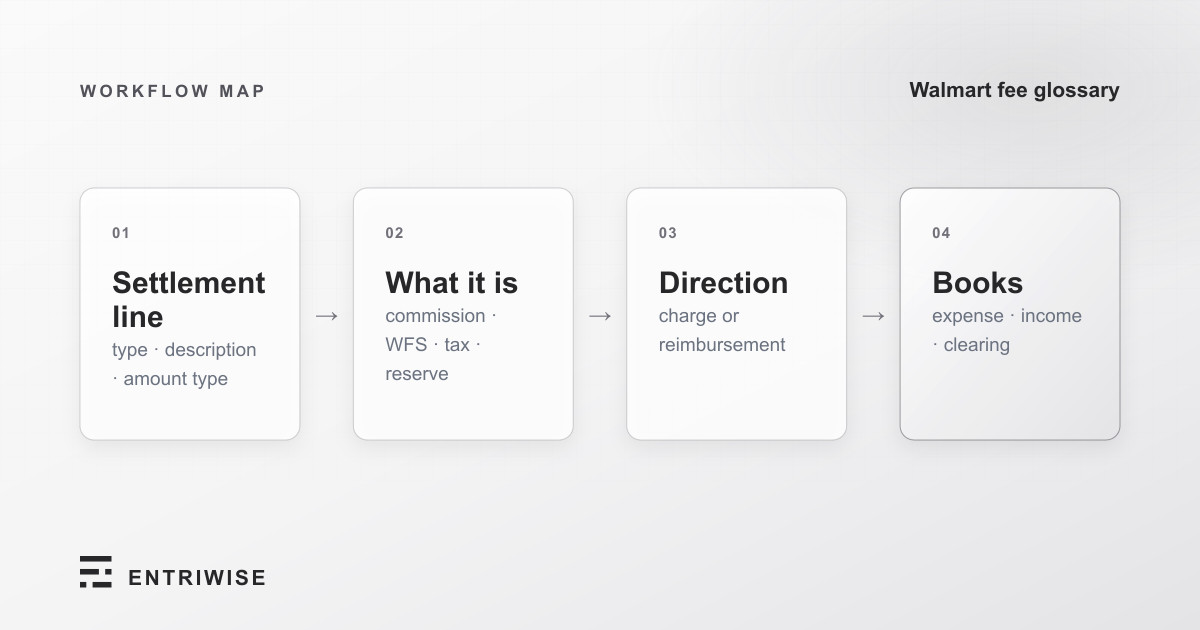
The settlement report is a different story. Walmart doesn’t hand you a list of named fees; it hands you a CSV where every line is identified by three columns working together — Transaction Type, Transaction Description, and Amount Type. The same word can appear in different columns meaning different things, one order can produce thirteen separate lines, and a few labels arrive with no spaces, a trailing space, or an empty Transaction Type.
This page documents 103 distinct line-type combinations across 47 Walmart labels, taken from real Walmart settlement report data rather than from a help page, and grouped by what each one actually does to your books. If you want the equivalent for the other marketplace, see the Amazon Seller Fees Glossary — 132 fees, same treatment.
How to Read a Walmart Settlement Line
Download the report from Seller Center (Payments → Statements → Transaction report) and you get these columns, among others:
| Column | What it holds |
|---|---|
Transaction Type |
The event class: Sale, Refund, Adjustment, Service Fee, Campaigns, Reserve, Release Reserve, Instant Transfer, Dispute Settlement |
Transaction Description |
The specific label: Purchase, Return Refund, WFS StorageFee, SEM Marketing, Keep-it refund |
Amount Type |
The component of that event this row carries: Product Price, Commission on Product, Product tax withheld, Fee/Reimbursement, WFS Inventory Fee/Reimbursement, Item Fees |
Amount |
The signed dollar value — money in is positive, money out is negative |
Purchase Order # |
Walmart’s order identifier, the anchor for tying fee lines back to a sale |
Partner Item Id |
Your SKU, present on item-level rows and blank on account-level ones |
Fulfillment Type |
Walmart-fulfilled(WFS) or Seller Fulfilled — the fastest way to split WFS costs from your own shipping |
Transaction Posted Timestamp |
When Walmart posted it, which is not the same as when the order shipped |
Read all three of the first columns or you will mis-post. Purchase under Sale is revenue. Purchase under Refund is a reversal. Commission on Product under Sale is an expense; under Refund it’s a credit coming back. Nothing in a single column is enough on its own.
Only one part of this is yours to decide. All three columns are Walmart’s vocabulary — you don’t get to change them, and you shouldn’t collapse them. What you choose is the QuickBooks item or account each combination posts to. The mapping section below covers that; everything before it is Walmart’s side of the fence.
The Transaction Types, at a Glance
| Transaction Type | What it covers | Labels | Line types |
|---|---|---|---|
| Sale | A customer purchase and every component of it | 1 | 13 |
| Refund | Money going back to a customer, six different ways | 7 | 47 |
| Adjustment | WFS charges, inventory reimbursements, shipping corrections | 23 | 23 |
| Service Fee | Storage, inbound, prep, advertising, invoiced services | 11 | 11 |
| Campaigns | Walmart Connect sponsored-search spend | 1 | 1 |
| Dispute Settlement | Reversals of refunds you already absorbed | 2 | 2 |
| Reserve / Release Reserve / Instant Transfer | Cash timing, not profit or loss | 3 | 3 |
| (blank) | Two WFS return-center fees that arrive with no Transaction Type at all | 2 | 2 |
Refund carries 47 of the 103 combinations. That is not an accident of Walmart’s design — a refund has to unwind the sale, the tax, the withheld tax, the commission, and the promotional funding separately, so one returned item generates a fan of lines rather than one negative number.
Sale Lines: One Order, Thirteen Lines
Every sale carries the single description Purchase, and the Amount Type column splits it into as many as thirteen rows.
| Amount Type | What it is |
|---|---|
Product Price |
The item revenue itself, per SKU in Partner Item Id. This is the only row that should touch your inventory and COGS. |
Shipping |
Shipping revenue the customer paid you. |
Product tax |
Sales tax collected on the item. |
Shipping tax |
Sales tax collected on the shipping charge. |
Commission on Product |
Walmart’s referral fee on the item — the 6%–15% headline number. Your single largest marketplace expense. |
Commission on Shipping |
The same referral fee percentage, applied to the shipping you charged. Walmart calculates the referral fee on total sales price — item price plus shipping and handling, gift wrap, and other charges — so it splits that one fee across two lines. |
Other tax (Fees) |
Tax charged on Walmart’s fees, not on the customer’s purchase. Small, easy to miss, and not a sales-tax liability. |
Product tax withheld |
Marketplace-facilitator tax Walmart collected and will remit to the state itself. It never becomes your liability — it’s withheld from your payout. |
Shipping tax withheld |
The same withholding, applied to shipping tax. |
Promo Code |
A promotional reduction funded by you. Reduces what you’re paid. |
Extra Discount |
Another seller-funded reduction. Reduces what you’re paid. |
Extra Savings |
A third seller-funded reduction. Reduces what you’re paid. |
Total Walmart Funded Savings |
A discount Walmart paid for. The customer got a lower price and Walmart makes up the difference, so this one adds to your payout rather than reducing it. |
The last four rows are worth reading twice. Promo Code, Extra Discount, and Extra Savings are money you gave up. Total Walmart Funded Savings is money Walmart gave up on your behalf. Booking all four the same direction is one of the more common ways a Walmart clearing account ends up off by a few dollars a month with no obvious cause.
Refund and Return Lines
Seven descriptions live under Refund, and the distinction between them is who triggered it — which decides whether you get anything back.
| Transaction Description | What it means |
|---|---|
Return Refund |
The standard case: the customer returned the item and was refunded. The most common refund label by volume, and the one with the widest fan of Amount Types. |
Seller Initiated Returns |
You started the return yourself. Walmart’s policy is explicit that you aren’t reimbursed for costs on returns you initiate. |
Seller Triggered Refund |
A refund you issued from Seller Center without a return — a partial concession, a price adjustment, a goodwill credit. |
Walmart Customer Care Refund |
Walmart’s support team refunded the customer on your behalf, without asking you first. |
Keep-it refund |
Walmart’s Keep It rule fired: the item was worth less than return shipping, so the customer was refunded and told to keep it. No inventory comes back — which means no restock, and a real COGS write-off. |
Customer Chargeback |
The customer disputed the charge with their card issuer. Track this separately from returns; the recovery path and the timeline are different. |
Purchase |
Walmart occasionally re-uses the sale label on a refund row. Same word, opposite sign, and the reason you can’t key on Transaction Description alone. |
Each of these carries its own Amount Types — the item price, the tax, the withheld tax, the commission, the promotional funding, all reversed line by line. Three of them also carry ExcessRefundAdjustment, which is Walmart squaring up a refund that overshot the original sale.
Whether the referral fee comes back depends on fault. On a WFS order where the return is seller-at-fault — the customer changed their mind, the item didn’t match expectations — Walmart credits the referral fee back to you but keeps the fulfillment fee. On a Walmart-at-fault return, such as an item lost or damaged in delivery, you keep the sale price but Walmart keeps both the fulfillment fee and the referral fee. That’s why Commission on Product shows up as its own credit line under most refund descriptions: sometimes it’s there, sometimes it isn’t, and your commission expense only nets down when it is.
Adjustment Lines: WFS, Shipping, and Corrections
Adjustment is where the WFS fulfillment fee actually lives — not under Service Fee, where most sellers look first. It’s also where inventory reimbursements arrive, and those move money toward you.
| Transaction Description | Direction | What it is |
|---|---|---|
WFS Fulfillment fee |
Charge | The core pick, pack, and ship fee. Per Walmart’s WFS fee schedule: $3.45 for units up to 1 lb, $4.95 at 2 lb, $5.45 at 3 lb, then $5.75 plus $0.40 per pound from 4–20 lb, scaling up to $17.55 plus $0.40/lb above 51 lb. Surcharges stack: +$0.50 apparel, +$0.50 hazmat, +$1 if the retail price is under $10, +$3 or +$20 for oversize. |
WFS Return Processing Fee |
Charge | Processing a customer return back through a WFS facility. Priced on the same weight ladder as fulfillment, starting at $4.70 for units up to 1 lb. |
WFS Return Shipping fee |
Charge | The return leg’s shipping. Walmart exports this label with a trailing space, and sometimes wrapped in escaped quotes — see the exact-string section. |
WFS Returned Item Disposal Fee |
Charge | Disposing of a returned unit instead of restocking it: $0.35 for units up to 2 lb, plus $0.20 per pound above that, plus $0.40 per pound shipping. |
WFS Charge |
Charge | Walmart’s catch-all WFS charge. Read the amount and the order reference before assuming which service it covers. |
WFS InboundTransportationFee |
Charge | Freight for getting your inventory to a WFS facility. Also appears under Service Fee — same fee, two Transaction Types. |
WFS LostInventory |
Reimbursement | Walmart compensating you for a unit lost inside its network. Money in, and it doesn’t restock. |
WFS DamageInWarehouse |
Reimbursement | The same, for a unit damaged in storage. |
WFS Refund |
Reimbursement | A WFS inventory-related credit, which can also reverse in the other direction. |
WFS FoundInventory |
Claw-back | The unit turned up after Walmart already paid you for it, so the reimbursement is reversed and the unit comes back into inventory. |
Chargeback credit |
Reimbursement | A chargeback resolved in your favor. The credit side of Customer Chargeback. |
Shipping Protection Claim Payout |
Reimbursement | A paid claim on a protected shipment. |
Refund for unused label |
Reimbursement | A shipping label you bought and never used. |
Shipping Insurance refund |
Reimbursement | Insurance premium returned. |
Business initiated discrete partner credit |
Either | A one-off credit or charge Walmart applies at the account level. Read the sign. |
PAY_PLAT_FIELD_ERR |
Either | A payment-platform correction, exported as a raw error code rather than a description. Rare, and legitimately opaque — treat it as a correction and trace it to the payout it belongs to. |
Signature on Delivery fee |
Charge | Requiring a signature at delivery. |
Shipping Insurance fee |
Charge | Insuring a shipment. |
Carrier Additional Protection Fee |
Charge | Carrier-side coverage on a shipment. |
Walmart Shipping Label Service Charge |
Either | Buying shipping labels through Walmart. Appears as both charge and credit. |
Customer Return Refund Reversal - Lost Later Delivered |
Reimbursement | You were charged for a package marked lost; it was delivered after all, so the refund is reversed. Walmart exports this label under two different spellings. |
The reimbursement rows are the ones worth setting up deliberately. Booking WFS LostInventory as a negative fee instead of income leaves your WFS expense understated and your other income at zero — the payout still reconciles, so nothing flags, and the WFS cost you report all year is wrong.
Two more WFS return-center fees arrive with no Transaction Type and no Amount Type at all — just WFS RC_InventoryDisposalFee and WFS RC_InventoryRTVFee in the description column. Both are charges.
Service Fee and Advertising Lines
Service Fee covers what Walmart bills you for outside a specific order: storage, getting inventory in, advertising, and invoiced programs.
| Transaction Description | What it is |
|---|---|
WFS StorageFee |
Monthly storage: $0.75 per cubic foot January through September. In peak season (October–December) the first 30 days stay at $0.75, then add $1.50 per cubic foot beyond that. |
WFS LongTermStorageFee |
Aged inventory, on rates effective June 30, 2026: $2.25 per cubic foot at 366–450 days, jumping to $7.50 per cubic foot past 450 days. Ten times the standard rate — worth a quarterly aged-inventory review on its own. |
WFS InventoryRemovalOrder |
Pulling units back out of a WFS facility at your request. |
WFS InventoryTransferFee |
Moving inventory between facilities. |
WFS InboundTransportationFee |
Freight into a WFS facility. |
WFS PrepServiceFee |
Unplanned prep work Walmart had to do on arrival: $0.65 for a missing or incorrect label, $0.80 for a missing or incorrect poly bag. |
SEM Marketing |
Sponsored-search spend through Walmart Connect. This is the one line under Transaction Type Campaigns, and it carries its own Amount Type, SEM Marketing Fee. |
Walmart Product Advertising |
Advertising billed as a service fee rather than through Campaigns. |
Walmart Product Advertising Credits |
Advertising credit coming back — the credit half of the line above, as its own label. |
Review Accelerator |
Walmart’s paid program for soliciting reviews on your listings. |
Walmart Social Commerce - Creators |
Creator-driven social commerce spend. Its Transaction Type is exported as Service Fee - for walmart creators — a distinct string from plain Service Fee, and its Amount Type is Debit Payable rather than Fee/Reimbursement. |
Walmart Return Shipping Charge |
Return shipping billed as a service fee, with the Amount Type Item Fees — the only line in the report that uses it. |
Misc Invoices |
Walmart’s catch-all invoiced charge. Never post this one on autopilot; find the invoice first. |
Reserves, Disputes, and Transfers
Three Transaction Types move real money without being income or expense. Posting them as fees is double-counting.
| Transaction Type / Description | What it is |
|---|---|
Reserve / Funds withheld to cover future refunds |
Walmart holding back part of your payout against refunds it expects. The money is still yours. It’s a timing difference, not a cost. |
Release Reserve / Reserve credited back |
The hold coming off. Also not income — it’s the same dollars arriving later. |
Instant Transfer / Funds paid out upon request |
You asked to be paid early. This moves cash between your own balances, and its Amount Type exports as the literal string " Net Payable", leading space and quotes included. |
Together these three reconcile your payout without ever touching your profit and loss. If a reserve line ends up in an expense account, your Walmart cost of sales is overstated by the held amount and understated again when it releases — two errors that cancel out over time and are miserable to find in a single month.
Dispute Settlement is the opposite: it is a P&L event, reversing a refund you already absorbed.
| Transaction Description | What it is |
|---|---|
Customer Return Reversal |
A return outcome reversed in your favor — the refund comes back to you. |
Walmart Customer Care Refund Reversal |
A refund Walmart’s support team issued, reversed on review. |
Where Walmart’s Exact Strings Bite
Walmart’s export is not internally consistent, and if you’re matching labels in a spreadsheet, the variants are the whole problem:
- Spacing is arbitrary.
WFS StorageFee,WFS LongTermStorageFee,WFS DamageInWarehouse, andWFS InventoryRemovalOrderrun words together.WFS Fulfillment fee,WFS Return Processing Fee, andWFS Chargedon’t. - Capitalization is arbitrary.
WFS Fulfillment feeandWFS Return Shipping feeend in lowercase fee;WFS Return Processing FeeandWFS Returned Item Disposal Feedon’t. - One label ships with a trailing space.
WFS Return Shipping fee— and separately as"""WFS Return Shipping fee """, escaped quotes and all, when the CSV quoting goes sideways. Same fee, two strings, and an exact-match formula catches one of them. - One event has two spellings. The lost-later-delivered reversal appears as both
CUSTOMER RETURN REFUND REVERSAL-LOST LATER DELIVEREDandCUSTOMER_RETURN_REFUND_REVERSAL-LOST_LATER_DELIVERED. - Two labels arrive with empty Transaction Type and Amount Type.
WFS RC_InventoryDisposalFeeandWFS RC_InventoryRTVFeefill in only the description column. - Raw codes leak through.
PAY_PLAT_FIELD_ERRis an internal field-error code sitting in a column meant for human-readable descriptions.
None of this is documented on a Walmart help page. It’s what the file actually contains.
Mapping Walmart Lines to QuickBooks
There’s no single chart of accounts that fits every Walmart seller, but the grouping decisions are the same for everyone. Four kinds of line behave differently in QuickBooks:
| Line group | QuickBooks treatment | What to watch |
|---|---|---|
Product Price on a Sale or Refund |
Itemized per SKU, against your inventory items | The only rows that should move inventory quantities and generate COGS. Everything else is a charge, fee, or service line. |
| Shipping, tax, and discount components | Non-inventory charge items | Keep seller-funded (Promo Code, Extra Discount, Extra Savings) separate from Walmart-funded (Total Walmart Funded Savings) — opposite signs. |
Commission on Product / Commission on Shipping |
Marketplace commission expense | Keep the two lines separate if you want to see the referral fee you’re paying on shipping revenue. Refund-side rows credit the same account. |
Product tax withheld / Shipping tax withheld |
Not a tax liability | Walmart remits this itself. Posting it to sales-tax payable creates a liability you’ll never pay off. |
| WFS charges | WFS expense, ideally split fulfillment / storage / returns / inbound | Storage and long-term storage in one account hides the aged-inventory problem. Split them. |
| WFS reimbursements and claw-backs | Other income, not negative expense | WFS LostInventory, WFS DamageInWarehouse, Chargeback credit, Shipping Protection Claim Payout are money in. WFS FoundInventory reverses one. |
Advertising: SEM Marketing, Walmart Product Advertising, Review Accelerator |
Advertising expense | Three separate programs billed three different ways. Same account is fine; same line item is not, if you ever want to judge which one worked. |
Reserve, Release Reserve, Instant Transfer |
Neither income nor expense | Balance-sheet or clearing-account movement only. |
Misc Invoices, PAY_PLAT_FIELD_ERR, Business initiated discrete partner credit |
Hold until identified | Genuinely ambiguous. Park them in a suspense account rather than guessing. |
Whatever you choose, keep the original Transaction Type, Transaction Description, and Amount Type visible in the memo or description field. When a clearing balance is off six months later, the label is the only thing that lets you explain it without re-downloading the report.
A Practical Walmart Settlement Workflow
Whether you do this by hand or with an integration, the sequence is the same:
- Pin down the store and the settlement period. One store, one payout period, one clearing balance. Mixing them is the fastest way to an unexplainable residual.
- Split WFS from seller-fulfilled first, using the
Fulfillment Typecolumn. WFS costs and seller-fulfilled shipping costs answer different questions, and separating them at the source beats untangling them later. - Post
Product Pricerows per SKU. These drive inventory and COGS. Everything else attaches to them or to the account. - Sign every fee row from the report, not from its name.
WFS RefundandChargeback creditsound like deductions and are credits.Total Walmart Funded Savingssounds like a discount and is income. - Exclude the reserve and transfer lines from P&L. They belong to the payout reconciliation, not the income statement.
- Clear the payout. The deposit should zero the clearing account exactly. A leftover balance means a label you skipped or signed backwards — and because the report is complete, the residual always has a specific cause.
For QuickBooks Online, Entriwise’s Walmart integration reads the settlement report and posts these lines as native transactions. QuickBooks Desktop Enterprise and NetSuite follow the same settlement workflow.
How Entriwise Handles Walmart Settlement Lines
You shouldn’t need a spreadsheet of Walmart labels that you update every time a new adjustment appears. Entriwise recognizes all 103 line-type combinations on this page by their full Transaction Type / Transaction Description / Amount Type signature — including the trailing-space and escaped-quote variants of WFS Return Shipping fee, both spellings of the lost-later-delivered reversal, and the two WFS return-center fees that arrive with empty columns.
It also handles the parts that are easy to get backwards by hand: reimbursements post as income rather than negative fees, reserve and instant-transfer lines stay out of your P&L, Product Price rows itemize per SKU so your ledger’s own inventory engine computes COGS, and every import reconciles against the Walmart payout to the cent.
The free trial covers one full calendar month of your own data, no credit card, no time limit on when you use it — so you can point it at a settlement you’ve already reconciled by hand and compare line for line.
Frequently Asked Questions
How many fees does Walmart charge sellers?
Walmart charges one fee to every seller — the referral fee, commonly 6%–15% of the total sales price, with the full contract-category schedule spanning 3% to 20% and stepping down at higher price tiers. WFS adds roughly a dozen more. But the settlement report expresses all of it as 103 distinct combinations of Transaction Type, Transaction Description, and Amount Type across 47 labels, which is the number that matters when you’re reconciling rather than pricing.
Does Walmart charge a monthly seller fee?
No. Walmart Marketplace has no setup fee, no monthly fee, and no subscription — you pay the referral fee on what sells, plus WFS fees if you use WFS. That’s the main structural difference from Amazon, which bills $39.99/month for a Professional Selling Plan on top of its referral fee.
What’s the difference between Commission on Product and Commission on Shipping?
They’re the same referral fee, split across two lines. Walmart calculates the referral fee on total sales price — item price plus shipping and handling, gift wrap, and other charges — so the portion attributable to the item posts as Commission on Product and the portion attributable to shipping posts as Commission on Shipping. Keeping them separate is how you see what the referral fee on shipping revenue actually costs you.
Do I get the referral fee back when a customer returns an item?
It depends on fault. On a WFS order where the return is seller-at-fault — the customer changed their mind, or the item didn’t meet expectations — Walmart credits the referral fee back and keeps the fulfillment fee. On a Walmart-at-fault return, such as an item lost or damaged in delivery, you keep the sale price but Walmart keeps both the fulfillment and referral fees. On returns you initiate yourself, Walmart’s policy is that you aren’t reimbursed for return costs. Watch for a Commission on Product row under the refund: if it’s there, the fee came back.
Why does the same WFS fee appear under different Transaction Types?
Because Walmart’s report doesn’t group WFS activity in one place. WFS InboundTransportationFee shows up under both Adjustment and Service Fee, and the WFS fulfillment fee — the largest WFS cost for most sellers — is filed under Adjustment, not Service Fee. If you filter the report by Transaction Type expecting all WFS costs in one bucket, you’ll miss most of them.
Are Reserve and Release Reserve lines expenses?
No. A reserve is Walmart holding back part of your payout against expected refunds; the money is still yours, and Release Reserve is the same dollars arriving later. Both belong in the payout reconciliation, not the income statement. Posting them as fees overstates your Walmart costs in one period and understates them in the next.
What is a “Keep-it refund”?
Walmart’s Keep It rule: when an item costs more to ship back than it’s worth, Walmart refunds the customer immediately and tells them to keep it. You set the categories and price thresholds yourself in Seller Center. Accounting-wise it’s the refund that needs the most attention — no unit comes back, so there’s no restock and the full cost is a write-off.
Why do some Walmart labels run words together or end in a space?
Because Walmart’s export was assembled over years by different teams. WFS StorageFee has no space; WFS Fulfillment fee does, with a lowercase f. WFS Return Shipping fee carries a trailing space and sometimes arrives wrapped in escaped quotes. Two labels show up with the Transaction Type and Amount Type columns empty. None of it is documented — it’s just what the file contains, which is exactly why exact-match formulas in a spreadsheet quietly miss rows.
Do I need to memorize all of these?
No. Most sellers see a dozen or so in any given month. The point of a complete list is that when an unfamiliar label appears — and Walmart adds them — you’re looking it up rather than guessing, and you know before you post whether it’s money in or money out.