Shopify to QuickBooks Online & Desktop

4.9/5 from 262 customer reviews on QuickBooks, Amazon, and Capterra

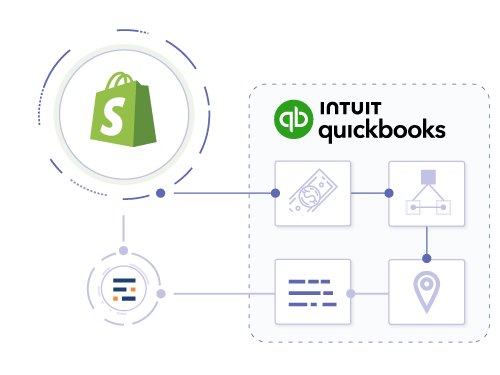
A Shopify QuickBooks Online connector for payout reconciliation, inventory sync, Shopify POS tracking, and product-level profitability. On QuickBooks Desktop Enterprise, the same imports also support assemblies and Advanced Inventory sites.

Back to: all integrations | QuickBooks integrations | Shopify integrations
QuickBooks versions:
Online Plus, Online Advanced, Desktop Pro, Desktop Premier, Desktop Enterprise, Advanced Inventory
Shopify store locations:
US, CA

Import details

QuickBooks Online & Desktop

Automated Shopify Payments reconciliation

Most integrations record sales prematurely, right when the customer pays. Entriwise works differently: payments go to dedicated balance accounts first, and sales are only posted when you actually ship the order. Shopify Payments, PayPal, Stripe, and other gateways each get their own balance account in QuickBooks, so your clearing accounts always match what your payment processors actually hold.
  • ✔ Revenue posted when orders ship
  • ✔ Post to dedicated balance accounts
  • ✔ Support for PayPal, Stripe, and others
  • ✔ Handle multi-currency transactions
Available in plans: Online: Standard , Professional · Desktop: Professional , Enterprise

Advanced tracking

QuickBooks Online & Desktop

Track Shopify POS and Online separately

Separate your retail and e-commerce financials. Use QuickBooks Classes to track Shopify POS sales distinctly from your online store. Analyze profitability by sales channel and location to understand which parts of your business are performing best.
  • ✔ Separate reporting for POS vs. Online
  • ✔ Track sales by Shopify Location
  • ✔ Class-based profitability analysis
Available in plans: Online: Standard , Professional · Desktop: Professional , Enterprise

Inventory mapping

QuickBooks Online & Desktop

Sync Shopify products to QuickBooks inventory

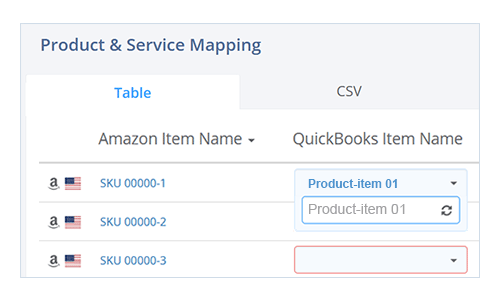
Keep your online and offline inventory in sync. Entriwise maps Shopify SKUs to QuickBooks Online products or QuickBooks Desktop inventory items, deducting inventory as each sale posts, whether it happens on your website or via Shopify POS. Prevent overselling and keep your stock levels accurate.
  • ✔ Inventory sync for Online & POS
  • ✔ Map Shopify variants to QuickBooks items
  • ✔ Auto-deduct inventory on sale
Available in plans: Online: Standard , Professional · Desktop: Professional , Enterprise

Advanced inventory

QuickBooks Online & Desktop

Handle Shopify bundles and kits

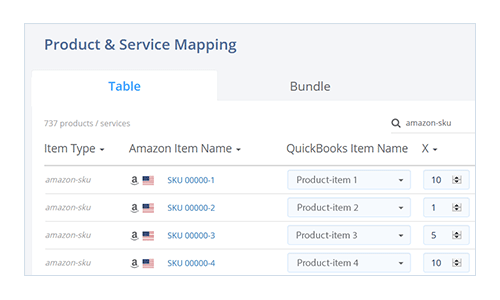
Selling bundles on Shopify? Map a single Shopify product to multiple inventory items in QuickBooks Online, or to a Group or Assembly item in QuickBooks Desktop. Entriwise correctly deducts the inventory for each component in the bundle, keeping your COGS and stock counts accurate.
  • ✔ Map bundles to multiple QuickBooks components
  • ✔ Correct component deduction
  • ✔ Support for dynamic bundles
Available in plans: Online: Enterprise · Desktop: Enterprise

Location tracking

QuickBooks Online

Track sales by Shopify Location

Map your Shopify Locations to corresponding QuickBooks Online Locations for accurate tracking. Entriwise automatically assigns the correct Location tag to each transaction based on the fulfillment source, allowing you to segment your financial reports by warehouse or POS store.
  • ✔ Map Shopify Locations to QuickBooks Online Locations
  • ✔ Auto-assign Location tags to sales
  • ✔ Segment reporting by warehouse or store
Available in plans: Online: Professional

Inventory sites

QuickBooks Desktop

Multi-location inventory management

Map your Shopify Locations to corresponding QuickBooks Desktop Enterprise Inventory Sites. Entriwise deducts each sale from the matching site and sends inventory updates to the right Shopify location, so online and in-store stock counts stay accurate.
  • ✔ Map Shopify Locations to QB Sites
  • ✔ Location-specific inventory sync
Available in plans: Desktop: Professional , Enterprise

Cost of goods sold

QuickBooks Online

Calculate true Shopify profitability

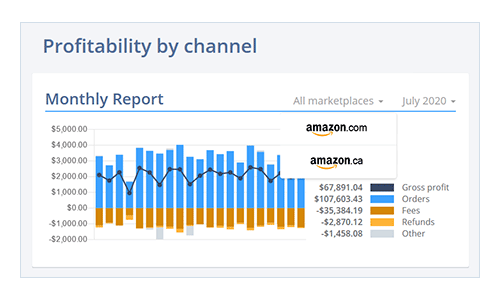
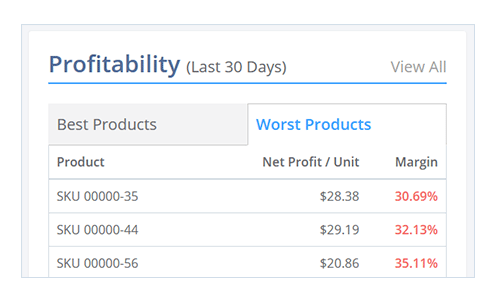
Entriwise calculates profitability by factoring in COGS, Shopify transaction fees, and shipping costs. See exactly how much profit you're making on each product and order, so you know which products to reprice or drop.
  • ✔ Include transaction fees in product margins
  • ✔ Factor in shipping costs
  • ✔ Product-level profitability reports
Available in plans: Online: Standard , Professional

Sales fees

QuickBooks Online

Track payment gateway fees per order

Don't let hidden fees surprise you. Entriwise tracks Shopify Payments and third-party gateway fees for every transaction. See exactly how much you're paying in processing fees and how it affects your bottom line.
  • ✔ Track Shopify Payments fees
  • ✔ Record PayPal/Stripe fees
  • ✔ Net margin visibility
Available in plans: Online: Professional

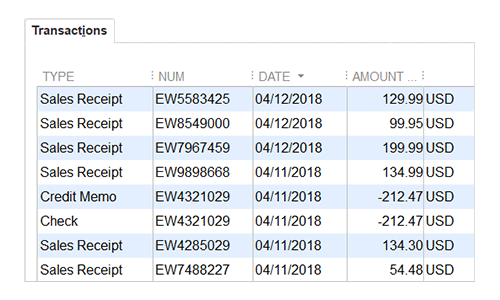
Your numbers will be reconciled to the penny

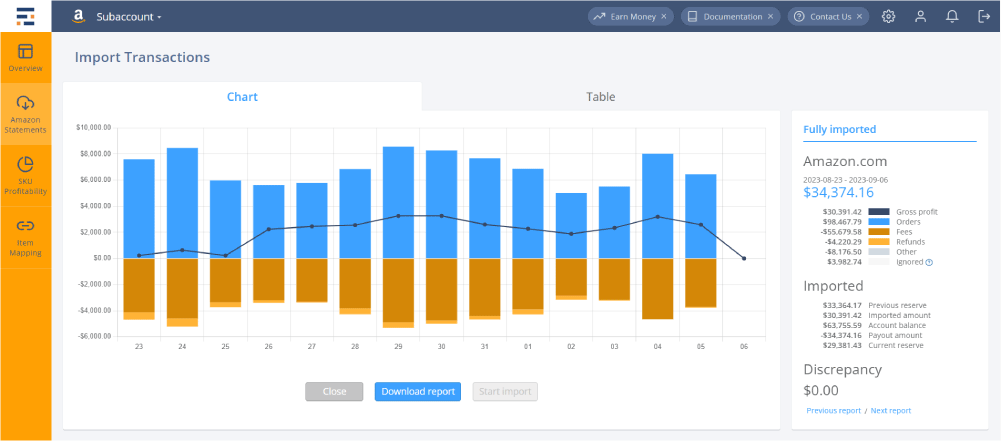
Automatic reconciliation ties every import back to the payout, with no duplicates and no manual entries. Whether you process 1,000 or 1,000,000 orders per month, Entriwise imports reconcile to the penny.

“Entriwise is the best app in the marketplace that will help you gain control and know exactly where your business stands.”
Lanna Lashes · Shopify App Store review
Entriwise app screenshot

Try it on your own data, or talk to our in-house CPA and advisors

They understand e-commerce accounting.

Together we will find a solution that works for your company and gets you up and running quickly, with less disruption to your business.

A full month of your own data, no credit card required.