
Introduction
In the fast-paced world of e-commerce, Amazon sellers are constantly juggling a multitude of tasks—sourcing products, managing inventory, optimizing listings, and handling customer service. Amidst this activity, three critical aspects often get pushed to the back burner until they become significant operational challenges: financial accounting, inventory tracking, and per-product profitability analytics. The fix? Amazon Seller Central QuickBooks Online integration between your sales channel and your financial command center.
For many sellers, the journey begins with spreadsheets. It starts innocently enough; a few orders a day are easy to track manually. But as your business scales, the volume of orders increases significantly. Suddenly, you’re dealing with hundreds or thousands of transactions, a complex Amazon fee structure, intricate inventory movements, and the difficult task of reconciling it all for tax season. The manual approach becomes inefficient under this complexity, leaving you with inaccurate data, stress, and a lack of visibility into your true financial health.
This is where the Amazon Seller Central to QuickBooks connection becomes not just a convenience, but a necessity. However, not all integrations are created equal. Some solutions overload your books with individual transactions that include inventory tracking but degrade software performance and are difficult to reconcile. Others rely on statement-based summaries that solve the volume issue but introduce significant data delays and lack inventory support. Crucially, neither approach provides per-product profitability analytics based on real Cost of Goods Sold (COGS) from QuickBooks Online.
In this comprehensive guide, we will explore why an Amazon Seller Central QuickBooks integration is essential for your business’s longevity and growth. We will delve into the specific challenges that Amazon sellers face, the pitfalls of basic integration tools, and how a robust solution like Entriwise can transform your accounting from a source of frustration into a powerful asset. We will cover everything from the importance of daily summaries and accrual accounting to the intricacies of inventory management and the key objective of e-commerce: accurate, product-level profitability analytics.
Whether you are a new seller just starting to gain traction or an established brand moving millions in inventory, understanding this integration is key to mastering your finances and making informed decisions that drive profit.
TL;DR
- For higher-volume Amazon sellers, pushing individual orders into QBO usually creates slow books and painful reconciliation.
- For clean books and accurate month-end reporting, imports should be daily (not statement-only) and use daily summaries (sales, fees, refunds/adjustments) paired with settlement reconciliation when payouts hit.
- To get trustworthy profit by SKU, you need inventory-based COGS (e.g., QBO FIFO) plus accurate Amazon fee categorization, provided by daily imports.
- Statement-only (bi-weekly) imports reduce clutter but delay revenue recognition and typically don’t support robust inventory + COGS.
If you want a full walkthrough of the ideal workflow, start with Daily Summaries and The Reconciliation Challenge: Calendar vs. Statement Dates.
Why Integrate Amazon with QuickBooks Online?
QuickBooks Online (QBO) is a widely adopted cloud accounting solution for small to medium-sized businesses. It offers accessibility, a user-friendly interface, and a vast ecosystem of apps. For Amazon sellers, it serves as the central hub where all financial data should converge to provide a clear picture of the business’s performance.
Integrating Amazon Seller Central with QBO is about more than just saving time on data entry—though that is a significant benefit. It is about accuracy, insight, and scalability.
Accuracy and Compliance
Amazon’s fee structure is complex. You’re not just dealing with a simple “sales price minus cost” equation. There are referral fees, FBA fulfillment fees, storage fees, advertising costs, refund administration fees, and a host of other adjustments. Attempting to manually record these or relying on periodic summary reports can lead to significant errors. An automated integration ensures that every penny is accounted for, categorized correctly, and matched to the corresponding bank deposits. This level of accuracy is crucial for tax compliance and for ensuring audit readiness.
Financial Insight
You cannot improve what you cannot measure. Without a proper integration, you might know your top-line revenue, but do you know your true margins per SKU? Do you know which products are actually profitable after deducting the cost of the item (COGS) and all the FBA fees and advertising spend? A robust integration feeds granular data into QBO, allowing you to track inventory levels accurately and generate product-level profitability reports. It transforms QBO from a simple ledger into a strategic tool that tells you exactly which products to restock and which to drop.
Scalability
Manual processes do not scale. As your order volume grows, the time required to manage your books manually increases exponentially. An automated integration scales with you. Whether you process ten orders a day or ten thousand, the workflow remains the same. This allows you to focus your energy on growing the business rather than drowning in paperwork.
The ‘Amazon Problem’: Volume and Complexity
To understand why a specialized integration is needed, we must first define the “Amazon Problem.” This problem has two main components: Transaction Volume and Data Complexity.
The Volume Challenge
Amazon is a high-volume marketplace. A successful product can generate hundreds of sales a day. If you were to try and push every single one of these individual orders into QuickBooks Online as a separate Sales Receipt or Invoice, you would quickly hit a wall.
QuickBooks Online has soft limits on the number of transactions it can handle smoothly. Flooding it with thousands of individual low-value transactions bloats your company file, slows down the interface, and makes running reports significantly slower. Furthermore, having thousands of individual sales receipts makes reconciling your bank deposits incredibly difficult. Amazon deposits money every two weeks, and that single deposit might represent 5,000 individual orders, minus fees and refunds. Matching that one deposit to 5,000 separate entries in QBO is a highly complex task.
The Complexity Challenge
The second part of the problem is the nature of the data itself. An Amazon settlement report is not a simple list of sales. It is a complex document containing various transaction types. To truly understand your profitability, you need to understand what these fees are and how they impact your bottom line.
Amazon Fees Demystified: What Are You Actually Paying?
Many sellers look at their “payout” and assume that’s their revenue. This is a common misconception. Your revenue is your Gross Sales; the payout is what’s left after Amazon takes its share. Understanding the specific fees is critical for accurate accounting and pricing strategies.
1. Referral Fees
Think of this as your “commission” to Amazon for bringing you the customer. It’s typically a percentage of the sales price (usually around 15%, but it varies by category). If you sell a $100 item, Amazon takes $15 right off the top. In QuickBooks, this shouldn’t just be “lost money”; it should be recorded as a specific “Selling Expense” so you can track the cost of the channel.
2. FBA Fulfillment Fees (Pick and Pack)
This is the cost for Amazon to pick your item off the shelf, pack it in a box, and ship it to the customer. It is based on the size and weight of the product. This is a variable cost that hits every single unit sold. Tracking this separately from shipping income is vital. If you offer “Free Shipping,” you are absorbing this cost.
3. FBA Storage Fees
Amazon charges you for the space your products occupy in their warehouses.
- Monthly Inventory Storage Fees: Charged between the 7th and 15th of the month following the month the fee applies to.
- Aged Inventory Surcharge (Long-Term Storage Fees): Charged for inventory that has been in a fulfillment center for more than 181 days. These fees can eat into your margins silently if you aren’t monitoring your inventory turnover.
4. Advertising (PPC) Costs
Amazon Advertising is often deducted directly from your settlement balance. If you don’t record this, your revenue will look lower, and you’ll miss a huge expense category. You need to gross up your revenue and record the ad spend as a “Marketing” or “Advertising” expense to see your true ROI.
5. Refund Administration Fees
When you refund a customer, Amazon returns your referral fee, but not all of it. They keep a small “Refund Administration Fee” (usually $5.00 or 20% of the referral fee, whichever is less). These small amounts add up and need to be tracked.
6. Marketplace Facilitator Tax
Amazon collects and remits sales tax on your behalf in most states. However, this money often flows through your settlement report—it appears as income and then is immediately deducted as an expense/liability. If you don’t account for this “wash,” your total revenue figures will be inflated, which can confuse reporting and complicate audits.
The Hidden Costs of Bad Data
What happens if you ignore these details and just book the net deposit?
1. Overpaying Income Tax
If you record your net deposit as “Sales,” you are under-reporting your Gross Revenue. While this might sound like it lowers your taxes, it actually leads to compliance issues. The IRS expects you to report Gross Sales and then deduct expenses. Furthermore, if you miss deductible expenses (like those hidden admin fees), you might actually end up paying more tax on higher perceived profit margins.
2. Lower Valuation
If you plan to sell your Amazon business one day, buyers (aggregators, private equity) will demand accrual-based financial statements. They want to see Gross Sales, COGS, and detailed expense breakdowns. If your books are disorganized with net deposits, you will have to pay thousands of dollars to forensic accountants to rebuild your books, or risk a significantly lower valuation for your business.
3. Cash Flow Blindness
Without granular data, you can’t see which levers to pull. Is your profit down because of ad spend? Or storage fees? Or increased returns? “Net Deposit” accounting hides these trends until it’s too late.
4. Inventory Chaos and COGS Distortion
If you don’t track sales at the SKU level, you can’t deduct the correct inventory from your books. This means your Balance Sheet shows inventory you don’t actually have. Worse, your Cost of Goods Sold (COGS) becomes a guess at the end of the month rather than a precise calculation. This leads to “phantom profits” - where you think you’re making money because you haven’t accounted for the cost of the items you sold - resulting in a surprise tax bill and cash flow crisis.
Challenges with Basic Amazon Seller Central QuickBooks Online Integrations
Many third-party tools claim to solve the Amazon-to-QuickBooks connection. However, most of them fall short because they do not address the fundamental issues of volume and complexity effectively. Here are the major pitfalls of using basic integration tools:
1. The “Individual Transaction” Trap
Some basic integrations offer daily imports, but they do so by copying every single Amazon order and pasting it into QuickBooks as a separate Sales Receipt. While this might seem “detailed,” it is destructive for high-volume sellers. It clutters your books with unnecessary noise. You don’t need to see individual order IDs like “123-4567890-1234567” for a $20 widget; you need to know that you sold 500 widgets today for $10,000. Creating separate transactions for each order adds no accounting value, bloats your database, and degrades performance.
2. Delayed Reporting with Statement-Based Imports
Other integrations try to avoid clutter by importing summarized data, but they only do so once every two weeks when the Amazon Settlement Report is generated. This fundamentally breaks Accrual Accounting. Because sales are only recognized when the settlement statement is generated, your revenue recognition is delayed by up to two weeks. You cannot match revenue to the period it was earned, making month-end closes inaccurate and leaving you blind to recent performance.
3. Lack of Inventory Support
Most statement-based integrations are purely financial - they move dollar amounts but ignore the physical goods. They do not track how many units were sold or deduct them from your inventory asset account. The result is a disconnect between your financial records and your physical stock. You might show revenue, but your inventory asset value remains unchanged, leading to a massive adjustment needed at the end of the year to get your Cost of Goods Sold (COGS) right.
4. No Profitability Analytics with Actual COGS
Perhaps the most significant limitation of basic integrations is the lack of true profitability analysis. They might tell you your gross sales, but they cannot tell you your net profit per SKU because they don’t have access to your actual Cost of Goods Sold. Product profitability is only trustworthy when it uses the actual COGS from QuickBooks Online. Many tools rely on a manually entered “buy cost” in their own dashboard, which creates a second set of numbers to maintain. If your costs change (due to shipping fluctuations, supplier changes, etc.), you have to update them in two places. A robust solution should pull FIFO (or other supported) costs directly from your accounting system so your analytics match your books.
Comparing Amazon Seller Central QuickBooks Integration Solutions
Before diving into the ideal solution, let’s compare the different approaches available for integrating Amazon with QuickBooks Online. Understanding these options will help you make an informed decision.
| Feature | Native QuickBooks | Basic Connectors | Entriwise |
|---|---|---|---|
| Daily Imports | ✅ Yes | ❌ No | ✅ Yes |
| Daily Summaries | ❌ No | ❌ No | ✅ Yes |
| Accrual Accounting | ❌ No | ❌ No | ✅ Yes |
| Inventory Tracking | ✅ Basic | ⚠️ Basic | ✅ Advanced (Multipacks, Bundles) |
| COGS in QuickBooks | ✅ Automated (QBO FIFO) | ❌ Manual | ✅ Automated (QBO FIFO) |
| Product Profitability Analytics | ❌ No | ❌ No | ✅ Yes (QBO FIFO COGS and Amazon fees) |
| Fee Categorization | ❌ Manual | ⚠️ Basic (using accounts) | ✅ Automatic Mapping (using items) |
| Settlement Reconciliation | ❌ Manual | ✅ Automated | ✅ Automated |
| Multi-Marketplace Support | ❌ No | ✅ All Amazon Regions | ✅ All Amazon Regions |
| FBA vs FBM Tracking | ❌ No | ❌ No | ✅ Class/Location Tags |
| Performance Impact | ❌ No | ⚠️ Optimized (statement summaries) | ✅ Optimized (daily summaries) |
The Entriwise Solution: A Comprehensive Approach
Given these significant limitations in existing tools, what does a proper solution look like? Entriwise was built specifically to address these shortcomings. Rather than being just a data pipe, it functions as an Amazon Seller Central accounting automation engine designed for professional Amazon sellers who use QuickBooks Online. The platform understands the nuances of FBA, the importance of inventory tracking, and the need for granular profitability data.
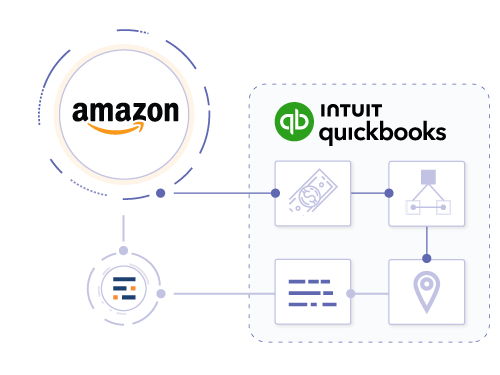
Let’s break down the core pillars of the Entriwise solution.
Daily Summaries: The Key to Clean Books
To solve the volume problem, Entriwise uses Daily Summaries. This approach is a core component of our accounting automation strategy. Instead of pushing 1,000 individual sales receipts for a 1,000-order day, Entriwise consolidates the day’s activity into optimized transactions.
This daily workflow includes:
- Daily Sales Receipt: Records total sales for each SKU (aggregated), taxes collected, shipping income, and discounts.
- Daily Summary Purchase: Separately records all order-related Amazon fees (Referral, FBA, etc.). This ensures your Gross Revenue is reported correctly without being artificially netted against expenses.
- Daily Refunds & Adjustments: Entriwise also records refunds, FBA returns, and FBA inventory adjustments on a daily basis, keeping your stock levels and cash flow precise.
By consolidating the data, Entriwise keeps your QuickBooks Online file clean and performant. You get the financial resolution you need - daily performance - without the database bloat.
Furthermore, this approach supports Accrual Accounting. Revenue and COGS are recognized on the day the order is shipped, giving you a precise, day-by-day view of your business performance. When the Amazon settlement eventually hits your bank account two weeks later, Entriwise has already recorded the activity. It then processes the settlement to “match” the funds received against the daily sales already recorded, handling the timing difference automatically.
Automated Mapping: Managing Fee Complexity
Entriwise takes the headache out of categorizing Amazon’s myriad fees. During setup, Entriwise automatically creates the necessary Service Items and Expense Accounts in your QuickBooks file to correspond with Amazon’s transaction types. You do not need to be an accountant to get started; the system builds the structure for you.
- Referral Fees -> Expense: Selling Fees
- FBA Fees -> Expense: Fulfillment Costs
- Advertising -> Expense: Marketing
- Reimbursements -> Other Income
Note: Manual mapping is available as an option for advanced users who wish to use their existing Chart of Accounts.
Once configured, this happens automatically every day. You don’t need to manually split transactions or guess which account to use. Refunds are also handled gracefully, creating Credit Memos that reverse the income and put the item back into inventory (if it’s sellable), ensuring your books are always balanced.
The Reconciliation Challenge: Calendar vs. Statement Dates
One of the most confusing aspects of Amazon accounting is the mismatch between Amazon’s payout schedule and your reporting needs. Our automated reconciliation features are designed to handle this complexity seamlessly.
The Problem: Dates Don’t Align
Most businesses run financial reports on a calendar month basis (e.g., January 1st to January 31st). However, Amazon pays you every 14 days, and these periods almost never align with the calendar month. A settlement period might run from January 14th to January 28th, with the money hitting your bank on February 1st.
If you are using “Cash Basis” accounting (booking revenue when the cash hits), your January P&L will be missing the sales from Jan 14-31 because that money didn’t arrive until February. This makes your January look terrible and your February look artificially great. You can never trust your monthly P&L.
The Solution: Statement-Based Reconciliation
To fix this, you must use Accrual Accounting with a holding account, which Entriwise designates as the Amazon Balance account. Entriwise automatically creates a separate Amazon Balance account for each marketplace (e.g., Amazon.com, Amazon.ca) to ensure tidy separation of funds.
- Daily Sales and Fees: Entriwise records your sales, refunds, and order-related fees (Referral, FBA) every day into this Amazon Balance account. This ensures your January P&L correctly shows revenue and primary expenses for Jan 1-31.
- Statement Processing: When the Amazon Settlement Report is generated (e.g., for Jan 14-28), Entriwise processes it to capture any remaining statement-level charges (like storage fees, subscription fees, or inbound shipping) and books them against the Amazon Balance account.
- The Match: The final step is the deposit. When Amazon deposits the net cash into your Checking Account, it should exactly match the remaining balance in the Amazon Balance account for that period.
The “Split Day” Problem
Entriwise tags every daily summary with a specific Statement ID. On the “split day,” Entriwise creates two separate summaries: one clearly marked for the closing statement and one for the opening statement. This allows you to reconcile the closed statement to the penny without confusion, ensuring you clear exactly the right transactions for the deposit you received.
This process - matching the daily sales + fees to the actual bank deposit - is Reconciliation. It is the only way to prove that your books are accurate. If you can’t reconcile your Amazon Balance account to zero (or the expected rolling balance), you have missing money or duplicate data. Entriwise automates this entire flow, ensuring that your bank deposits match your recorded sales to the penny, regardless of the date mismatch.
Inventory Management: Bridging the Gap
For sellers dealing with physical goods, the link between sales and inventory is vital. Entriwise offers robust inventory integration features that go far beyond simple syncing.
SKU Mapping
Entriwise maps your Amazon SKUs directly to your QuickBooks Online inventory items. This means when you sell a “Blue Widget” on Amazon, Entriwise reduces the count of “Blue Widget” in QBO. This automation keeps your “Quantity on Hand” accurate across both platforms.
Bundles and Kits
A common challenge for Amazon sellers is dealing with bundles - selling a “Gift Set” that contains three different items. Basic integrations fail here because they don’t know that selling one “Gift Set” means deducting three separate inventory parts. Entriwise supports Many-to-One Mapping. You can tell the system that SKU “GIFT-SET-001” corresponds to 1x Item A, 1x Item B, and 1x Item C in QuickBooks. When the bundle sells, Entriwise correctly deducts the components from your inventory, keeping your stock levels accurate for the individual items.
FIFO COGS
Because Entriwise interacts directly with QBO’s inventory module, it leverages the First-In, First-Out (FIFO) costing method native to QuickBooks Online Plus and Advanced. When a sale is recorded, the system deducts the cost of the oldest unit in stock. This provides the most accurate COGS calculation compliant with IRS standards for most small businesses.
Advanced Tracking: Classes, Locations, and Customers
As your business grows, you need to segment your data to understand where your profit is coming from. Entriwise utilizes QuickBooks Online’s advanced tracking categories: Classes, Locations, and Customers.
Customer Tracking
Entriwise assigns all Amazon sales to a specific “Amazon Customer” in QuickBooks. This allows you to run a “Profit and Loss by Customer” report to see exactly how much you are making from the Amazon channel compared to your Shopify store or wholesale channel.
Location and Class Tracking: FBA vs. FBM
One of the most powerful features is the use of Classes and Locations to distinguish between fulfillment methods (FBA vs. FBM) and marketplaces. Entriwise can tag transactions with specific Classes and Locations, ensuring that every transaction is categorized correctly for detailed P&L analysis.
For example, you can tag FBA sales with a “Amazon FBA” Class or Location and merchant-fulfilled sales with a “Warehouse” one. This allows you to run reports comparing the profitability of FBA vs. FBM. You might discover that while FBA has higher fees, the volume makes up for it, or conversely, that self-fulfillment is more profitable for certain heavy items.
Profitability Analytics: Advanced Insights
The ultimate goal of all this data integration is to answer the question: “Is this product making money?”
Most seller tools estimate profitability based on a static “buy cost” you enter manually. This is often inaccurate because it doesn’t account for price changes, shipping costs, or the FIFO flow of inventory.
Entriwise is unique in that it calculates product profitability using the ACTUAL COGS from QuickBooks Online.
Because it is deeply integrated with your accounting software, it knows exactly what you paid for the specific units that were sold today (based on FIFO). It combines this precise COGS data with the exact fees charged by Amazon for that specific sale (referral, FBA, etc.) to give you a true Net Profit per SKU.
Landed Cost and Extra Expenses
But COGS isn’t just the purchase price. It includes freight, duties, and insurance. QuickBooks Online’s native inventory doesn’t handle “Landed Cost” well. Entriwise bridges this gap by allowing you to allocate Extra Costs to your products. You can set per-unit or percentage-based additional costs that are factored into the profitability analysis.
Your profitability report in Entriwise reflects the complete picture:
Sales Price - Amazon Fees - Advertising - FIFO COGS - Extra Costs (Freight/Duties) = True Net Profit
The result is e-commerce analytics you can trust because the data comes directly from your audited accounting records, not a spreadsheet or a third-party estimate.
A Tale of Two Sellers: A Case Study
Having explored the technical capabilities, let’s see how these differences play out in practice. Consider two hypothetical sellers, Mike and Sarah, both selling $1 million a year on Amazon but taking very different approaches to their accounting.
Manual Mike
Mike uses a basic connector that just syncs the bi-weekly settlement deposit.
- The Books: Mike’s data is lagging by two weeks because he waits for the settlement statement. While he gets a breakdown of fees, he cannot see daily performance or spot trends until the period closes.
- The Inventory: Mike does not track inventory in QuickBooks Online at all. All inventory purchases are expensed immediately, meaning his Balance Sheet is inaccurate and he has no COGS calculation.
- The Problem: Mike estimates his profitability based on a static “buy cost” in a spreadsheet. He thinks his margins are 20%, unaware that price fluctuations, returns, and unrecorded fees have dropped it to 12%.
- The Result: Mike lost $50,000 in potential profit over the year. He kept restocking unprofitable items and didn’t realize his true margins were eroding until he looked at his year-end summary.
Automated Sarah
Sarah uses Entriwise to integrate Amazon with QuickBooks Online.
- The Books: Sarah’s P&L is detailed. She sees Gross Sales, Refunds, Promotional Discounts, Referral Fees, FBA Fees, and Ad Spend all clearly separated.
- The Inventory: Sarah relies on Entriwise to automatically decrement inventory for every sale, keeping her total “Quantity on Hand” in QuickBooks accurate. Her COGS is calculated daily using FIFO.
- The Insight: Sarah sees precise product profitability for every SKU. She spots products that are actually losing money after factoring in returns and ad spend—a critical insight Mike missed because he was relying on estimated COGS.
- The Result: Sarah maximized her profit by cutting losses early on underperforming SKUs and doubling down on winners. Her accurate, daily financial data allowed her to make confident, data-driven decisions throughout the year.
Conclusion
An Amazon Seller Central QuickBooks Online integration is a pivotal step for any serious e-commerce business. While it may be tempting to rely on manual entry or cheap, basic tools, the long-term costs in time, errors, and lack of insight are substantial.
The “Amazon Problem” of high volume and complex data requires a specialized solution. Entriwise offers a comprehensive platform that not only automates the flow of data but enhances it. By utilizing daily summaries, you keep your books clean and performant. By leveraging automated mapping and inventory management, you ensure accuracy and compliance. And by unlocking true profitability analytics based on actual QBO data, you gain the insights needed to scale your business with confidence.
Don’t let your accounting be an opaque process. Ready to connect Amazon Seller Central to QuickBooks? Explore the Entriwise Amazon Seller Central QuickBooks Online integration to see how it handles daily summaries, inventory tracking, and settlement reconciliation. You can also take control of your financial data across all your sales channels, including Shopify, Walmart, and eBay. Streamline your operations and focus on what you do best: growing your brand on Amazon.
Frequently Asked Questions (FAQ)
Is there an Amazon Seller Central QuickBooks Online integration?
Yes, Amazon Seller Central QuickBooks integration is possible. You can use native Intuit tools or third-party solutions to connect Amazon Seller Central to QuickBooks. The quality and functionality of integrations vary significantly. Advanced solutions like Entriwise provide daily summaries, inventory tracking, and profitability analytics using actual COGS from QuickBooks.
How do I set up an Amazon Seller Central QuickBooks integration?
To set up your Amazon Seller Central QuickBooks Online integration using Entriwise: (1) Connect your Amazon Seller Central account, (2) Connect your QuickBooks Online account, (3) Map your Amazon SKUs to QuickBooks inventory items, (4) Start importing your Amazon transactions.
What is the best Amazon Seller Central QuickBooks Online integration?
The best Amazon Seller Central QuickBooks integration depends on your needs. For sellers requiring accurate inventory tracking, product-level profitability analytics using actual QuickBooks COGS, and automated reconciliation, Entriwise is the leading solution. It’s the only integration that calculates profitability using actual FIFO costs from QuickBooks rather than manually entered estimates, ensuring your analytics match your tax returns.
How do I import Amazon sales into QuickBooks?
There are three methods: (1) Manual entry, not recommended for volume sellers, (2) Statement-based imports, import Amazon settlement reports every two weeks, but this breaks accrual accounting, (3) Daily automated summaries, the best approach, which records sales daily while keeping QuickBooks clean. Entriwise uses method 3, importing daily summaries that include sales, refunds, fees, and inventory adjustments.
Can I connect Amazon Seller Central to QuickBooks for free?
While QuickBooks’ native tool for Amazon Seller Central QuickBooks Online integration is free, advanced Amazon QuickBooks integration requires a paid solution. Free or basic integrations typically lack critical features like inventory tracking, daily summaries, daily imports, and profitability analytics. For serious sellers, investing in a robust integration like Entriwise pays for itself through time savings, accurate COGS tracking, and profitability insights that help you make better purchasing decisions.
Is QuickBooks Online good for Amazon FBA?
QuickBooks Online is excellent for financial accounting, but lacks native support for multiple inventory locations, which is critical for FBA. You will need a third-party integration tool like Entriwise to correctly track FBA stock vs. local stock and to handle the high volume of transactions without slowing down the software.
Why shouldn’t I just enter Amazon sales manually?
Manual entry is prone to human error and is incredibly time-consuming. It also makes it difficult to track COGS accurately and reconcile the complex Amazon settlement reports. As your volume grows, manual entry becomes impossible to sustain. Even at 50 orders per day, you’d spend hours each week on data entry—time better spent growing your business.
What is the difference between daily summaries and individual transactions?
Individual transactions record every single order as a separate entry in QuickBooks. This provides detail but clutters the system and slows it down. Daily summaries aggregate all sales for the day into one entry per SKU. This keeps QuickBooks fast and clean while still providing the necessary financial detail for accrual accounting. For example, 1,000 orders become one optimized daily summary instead of 1,000 separate sales receipts.
Can Entriwise handle bundles and kits?
Yes. Entriwise supports many-to-one mapping, allowing you to map a bundle SKU on Amazon to multiple component SKUs in QuickBooks. When the bundle sells, the system automatically deducts the correct quantity of each component from your inventory. This ensures accurate COGS calculation for bundled products and keeps your component inventory levels precise.
Does Entriwise work with QuickBooks Desktop Enterprise?
Yes, Entriwise supports both QuickBooks Online and QuickBooks Desktop Enterprise. The features and workflows are optimized for each platform’s specific capabilities. If you are unsure which version is right for you, check out our detailed comparison: QuickBooks Online vs Desktop Enterprise for Amazon Sellers. For high-volume sellers requiring real-time processing of seller fulfilled Amazon orders, explore our real-time order managemenr capabilities.
How does Entriwise calculate COGS?
Entriwise leverages the native inventory costing method of your QuickBooks version. For QuickBooks Online, this is FIFO (First-In, First-Out). This ensures that your profitability reports in Entriwise match your official accounting records. Unlike other tools that use manually entered “buy costs,” Entriwise pulls the actual FIFO cost from QuickBooks for each sale, accounting for price fluctuations and ensuring your analytics match your tax returns.
Can I track profitability by product?
Yes. Entriwise provides detailed product profitability analytics. Unlike other tools that use estimated costs, Entriwise uses the actual COGS from QuickBooks, combined with precise Amazon fees and advertising costs, to show you the true net margin for every SKU. This is the only integration that provides profitability analytics using actual QuickBooks data rather than a separate set of manually maintained costs.
How do I reconcile Amazon payments in QuickBooks?
Amazon pays every 14 days, but these periods never align with calendar months or days. Entriwise solves this by using an Amazon Balance account. Daily sales and fees are recorded to this balance account as they occur (accrual accounting). When Amazon deposits funds to your bank, you record them as transfers from Amazon Balance account to your bank account, ensuring perfect reconciliation regardless of date mismatches. Entriwise tags daily transaction summaries by statement period, making it easy to reconcile each statement period to the penny.